How to get a global Visa card in Thailand

Get a Hawala Visa card in Thailand: spend your dollars and euros anywhere Visa is accepted across 180+ countries, with no card fee.
Why a Hawala Visa Card in Thailand
A USD Visa card you open from your phone, top up with USDC from any wallet or exchange, and spend anywhere Visa is accepted — online, in-store, or on USD-billed subscriptions.
- No foreign transaction fees. Spend in any currency at Visa's mid-market rate. Most local cards charge 2–4% on every non-local purchase.
- No spending limits. No daily, monthly, or yearly cap. Compare to local USD cards in many countries that cap international spending at $100–500/month.
- Available in Thailand. Most crypto Visa cards are EU/UK or US-only. Hawala works for residents of Thailand.
- Top up from any wallet or exchange. USDC on Solana from Phantom, Coinbase, Binance, MetaMask, Kraken, OKX, Trust Wallet — anywhere you hold USDC.
- Free virtual card. Apple Pay & Google Pay on day one. No card issuance fee, no monthly fee, no waiting on shipping. Tap to pay the moment KYC clears.
How to Get the Card in Thailand
Four steps. From download to your first purchase usually takes under 10 minutes.
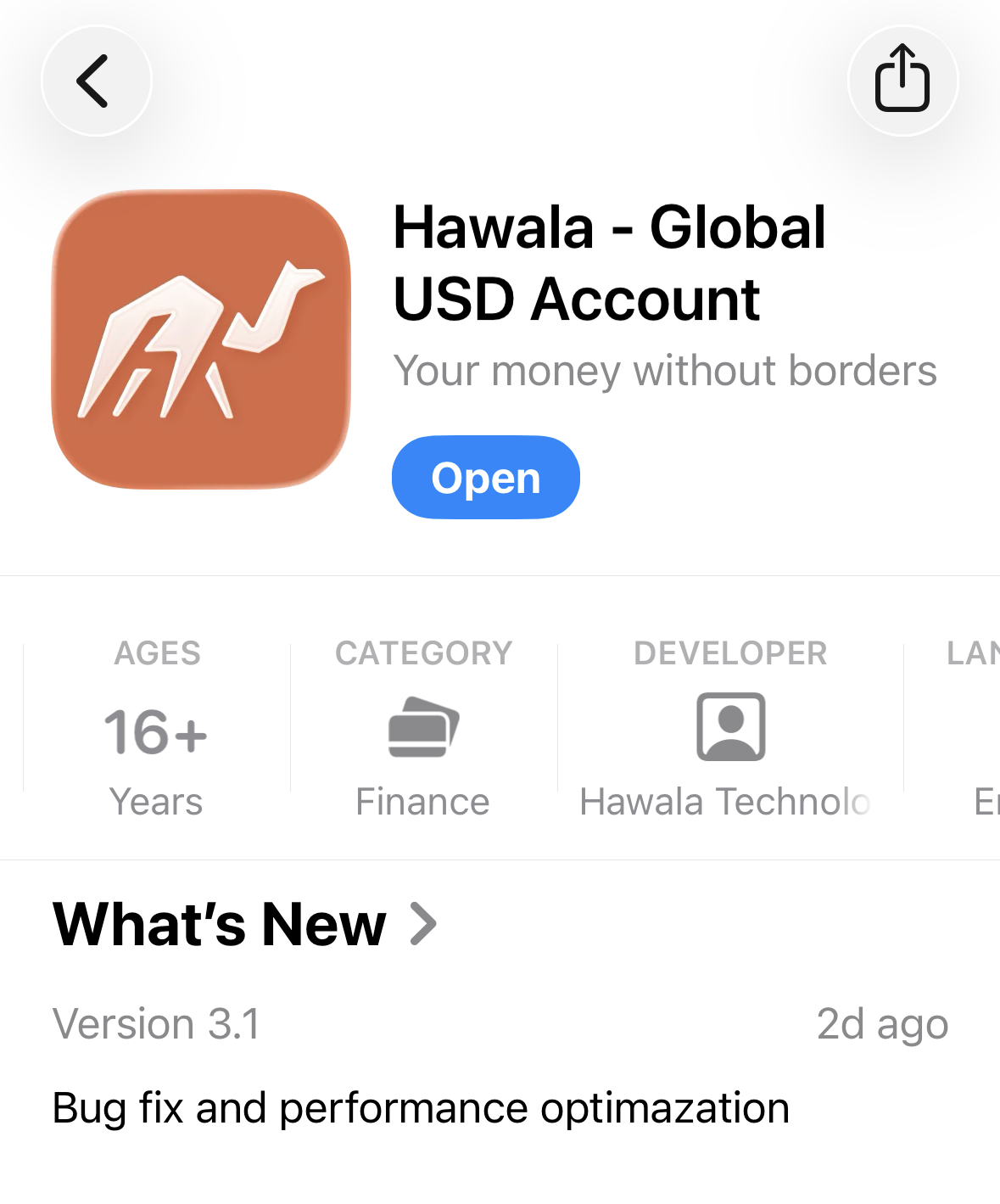
1. Download Hawala
Download Hawala from the App Store or Google Play and create an account with your email.
2. Verify Your Identity
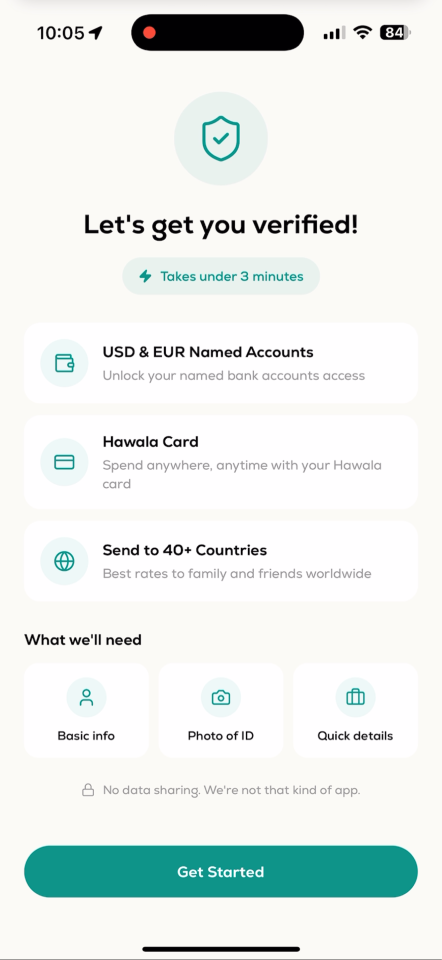
Takes under 3 minutes. ID photo, a few details, done. Your virtual Visa card is issued the moment verification clears — add it to Apple Pay or Google Pay in one tap.
3. Top Up With USDC From Any Wallet or Exchange
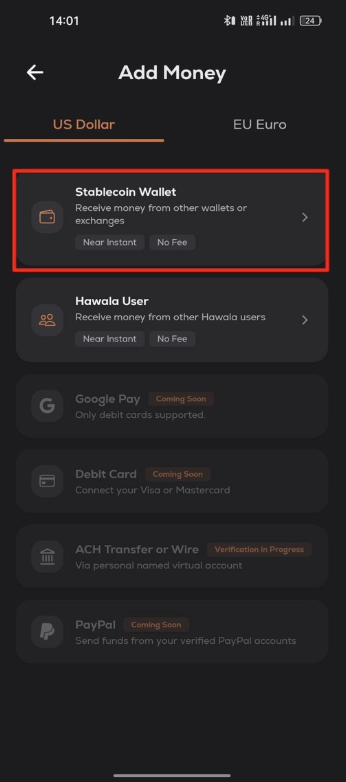
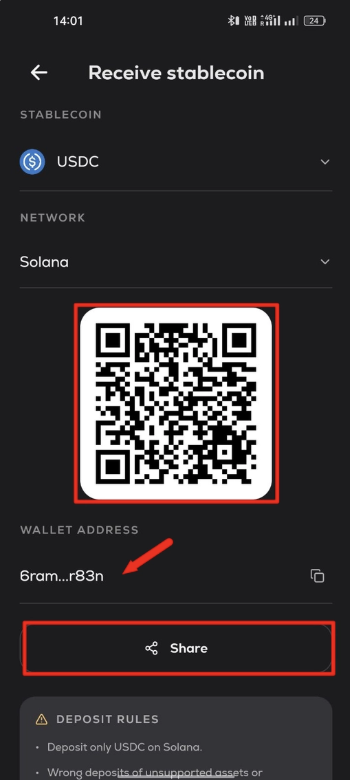
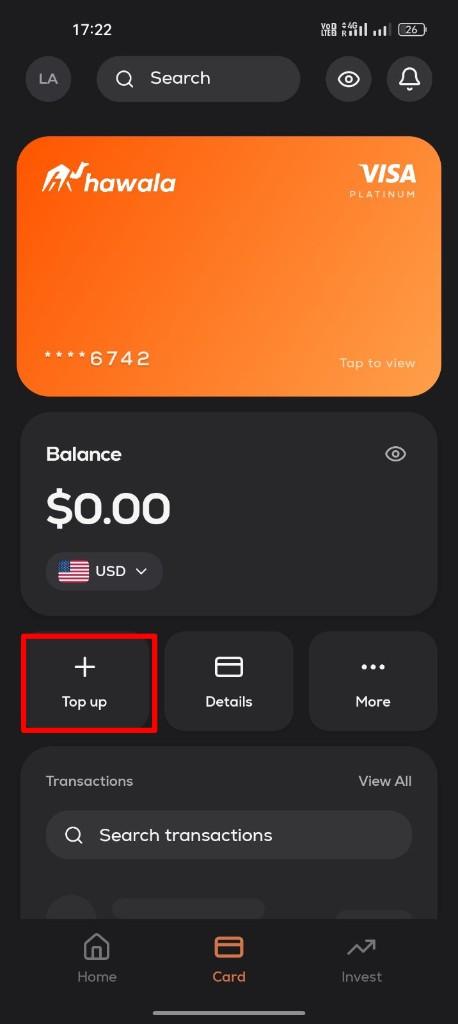
Tap Top up on your card, choose Stablecoin Wallet, and Hawala generates a USDC deposit address on Solana with a QR code. Send USDC from any wallet or exchange — Phantom, Coinbase, Binance, MetaMask, Kraken, OKX, Trust Wallet, Crypto.com, KuCoin — and the deposit lands within seconds.
Heads up
Always send USDC on the Solana network. Wrong asset or wrong network = lost funds.
4. Top Up Your Card and Spend
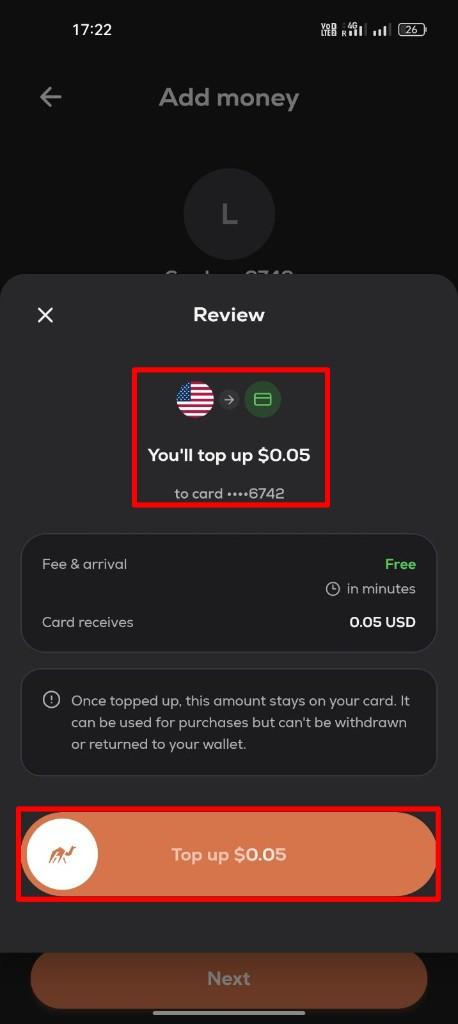
When the USDC arrives it credits your Hawala USD balance. Tap Top up on the card, enter an amount, confirm — funds land on the card instantly. From there, spend it anywhere Visa is accepted: online, contactless via Apple Pay or Google Pay, or on any USD-billed subscription.
Hawala vs Redotpay
Redotpay is one of the most popular crypto Visa cards globally. Here's how the two compare on the things that matter day to day.
| Hawala | Redotpay | |
|---|---|---|
| Virtual card cost | Free | $10 one-time |
| Monthly / annual fee | $0 | $0 |
| Transaction fee (USD) | 0% | 1% conversion fee |
| Foreign transaction (FX) fee | 0% | 1.2% on non-USD spend |
| Top-up from wallet (USDC) | Free | Free |
| Spending limits | No daily, monthly, or yearly limits | $100K per transaction, $1M per day |
| Decline & small-transaction fees | None | $0.50 per decline (after 3/mo), $0.20 per small transaction (after 5/mo) |
| Apple Pay & Google Pay | Yes | Yes |
Tip
On a typical $1,000/month spent abroad or on USD subscriptions, Redotpay's 1% + 1.2% fees cost about $22/month ($264/year). Hawala's 0% / 0% means $0.
FAQ
Related
- [Open a USD Bank Account in Thailand →](/learn/guides/open-usd-bank-account-in-thailand) — Get a virtual USD account to receive payments alongside your card.
- [Send Money to Thailand →](/send-money/usa-to-thailand) — Real mid-market rates, no hidden fees.
- [USD to THB Calculator →](/calculator/usd-to-thb) — Preview the live exchange rate.
Frequently asked questions
Yes. You can open the Hawala Visa card from Thailand entirely from your phone. Once issued, you can spend anywhere Visa is accepted — online, in-store via Apple Pay or Google Pay, and on USD-billed subscriptions like Netflix, Spotify, App Store, AWS, and ChatGPT.
Anywhere that supports **USDC on Solana**. That includes Phantom, Solflare, MetaMask, Trust Wallet, Backpack, Coinbase, Binance, Kraken, OKX, Bybit, Crypto.com, KuCoin, and most other major wallets and exchanges. Just match the network when you send.
No. The Hawala Visa card has no monthly fee, no minimum balance, and no daily, monthly, or yearly spending limits. You only fund the card when you want to spend.
Nothing extra. The card is a USD card with **0% foreign transaction fee**. When you spend in THB or any non-USD currency, Visa applies its mid-market network rate and Hawala does not add a markup. Most local Thailand debit and credit cards charge 2–4% on the same spend.
Virtual. It's issued the second your KYC clears, and you can add it to Apple Pay or Google Pay in one tap. There is no physical card to wait on.
The card uses Visa's network rate, which closely tracks mid-market. Preview the live USD to THB rate any time on our [calculator](/calculator/usd-to-thb).
This article is for educational purposes only and does not constitute financial or legal advice. Always consult an appropriate professional before making financial decisions.

Keep reading
- Account guidesThailand
How to open a USD bank account in Thailand
Open a USD account in Thailand with Hawala: get paid in dollars, skip the 3 to 6% currency fees platforms like Deel and Gusto charge, and set up in minutes with no paperwork.
 Ibrahim Albaba7 min read
 - Account guidesThailand
How to open a Euro bank account in Thailand
Open a Euro account in Thailand with Hawala: get a European IBAN, receive euros via SEPA, and avoid the 1 to 3% currency fees of Wise and Revolut.
Ibrahim Albaba7 min read - ComparisonsThailand
PayPal alternatives in Thailand: Hawala vs Wise
Compare PayPal alternatives in Thailand for getting paid in USD and EUR: fees, held funds, and how Hawala and Wise stack up.
 Amer Tabban6 min read
One account for dollars and euros
Get paid from abroad, send money home in minutes, and spend anywhere with your card. No hidden fees.